fischertechnik Cube Solver [video / pictures]

This robot independently solves a 3x3x3 Rubik's cube in 8-12 minutes, without the need of being connected to a Pc.


introduction


the fischertechnik Cube Solver

Ever since JP Brown's Lego "CubeSolver" project I have thought about building a robot of this kind myself.

The idea of using Legos didn't appeal to me that much, though. JP Brown had to use sophisticated techniques in order to make legoes turn the cube at all, and the parts are still being twisted by the forces needed. The cube itself had to be worked and lubricated in order to make it turn smoothly enough.

Thus I used something more appropriate for such a machine: fischertechnik.
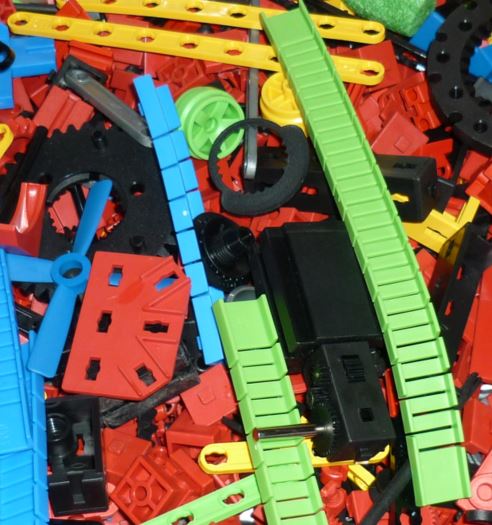
Originating and being produced in southwest Germany, fischertechnik is particularly useful for technical model construction. As this model was built entirely with fischertechnik parts (with the only exception of the Rubik's Cube itself) and even the programming completely done in fischertechnik's own programming language "ROBO Pro", we see that there are virtually no limits for this system.


the robot


toppling the cube In order to be able to solve a Rubik's Cube with a robot, you need to be able to turn each of the cube's six sides independently.
This does not necessarily mean that the robot needs six "arms" in order to being able to rotate each side:
Quite the contrary, my robot, in fact, only rotates the bottom side of the cube, that is by shutting the "lid" and turning the bottom turntable by 90 degrees.
Thus, if any other side is to be rotated, it has to be made the bottom one first. This, in turn, is achieved by either turning the cube with the lid open, which means that the whole cube is being rotated and not just one side, or by toppling the cube over, or a sequence of both. The latter, toppling the cube over, is done by pushing the upper right-hand side of the cube as well as pushing the lower left-hand side, which makes the cube end up with its previosly right-hand side now being on top.


color recoginition


color recognition A high level of reliability is one of the key issues concerning the whole project, but especially when it comes to the first step of actually solving the cube: color recognition.
As fischertechnik does not (yet) sell a camera kit, and my own attempts using an off-the-shelf computer webcam did not yield any convincing results, I resorted to one pretty basic principle of optical recognition: Lighting the cube with some light source and using a light dependant resistor (LDR), which has been part of the fischertechnik assortment for decades, to measure how much light is being reflected off the cube's numerous faces. These LDRs proved pretty reliable in conjunction with my processing unit, the fischertechnik "ROBO Interface", which means that the differences in reflection between the six colors on the cube can be measured well enough to distinguish them, even without the need of any prior calibration.
I have used two such LDRs, one for edge faces, and one for corner faces. As only one of each can be measured at a time, the robot needs to rotate the cube quite a few times until every face has been scanned.


solving the cube


one of the turn sequences The most important thing about solving Rubik's Cube is knowing a sequence of turns that will solve the cube depending on the colors that are shown.
For Computers, algorithms to do so have been around for longer than I can remember, so, for someone having some programming skills, it is not too hard a task to grab some already-implemented C source code off the internet and use it to produce a nice sequence of turns that can be done by the machine.
I, however, thought I'd give it a try to implement the one "algorithm" that I have learned and used myself to solve the cube "manually". The good thing about this is not only that I understand and can explain what the algorithm ist doing, but also that progress is pretty much visible when the robot is running.

This algorithm, originally hand-written by my grandfather (who probably "invented" most parts himself), basically applies only three different easy-to-rememeber turn sequences. I have slightly modified some parts in order to make it run faster on the robot, but it still works as following:
One side of the cube is being declared the top side, which can be solved easily even without any specific knowledge, as it doesn't matter if anything else becomes scrambled. Secondly, the edges within the "second storey" have to be brought into place, but now we need to take care not to "destroy" the top storey that we have solved before: That's where one of the turn sequences has to be applied, in this case, one that leaves the top storey intact but swaps the position of one edge in the second storey with another one in the bottom storey.
After this is finished, one continues placing the lower corner pieces and finally the remaining edge pieces of the cube, using the other turn sequences that are designed not to permanently change anything that has been done already.


ROBOPro


robopro When I began working on the project, fischertechnik's programming language "ROBOPro" had just been released, so I thought I'd give it a try to implement the algorithm in this programming language.
This choice also offered the possibility of running the program solely on the Processing Unit, without the need for a PC to do the calculating.

In fact, programming ROBOPro is some really interesting experience. Programming is not done by writing lines of code, but rather by placing and connecting graphical elements on the screen.
As a consequence, there are no typos, exceptions or crashes no matter what you are coding (in fact, there have been quite some crashes, but they all have been fixed in updated Versions of ROBOPro, thanks to the developer's extensive support whenever there were any issues).
Nevertheless, ROBOPro qualified as a fully functional programming language: I somehow was able to implement everything that I wanted to. Some parts could be "written" like in other languages, some others were even easier to implement (for example, in ROBOPro, multiple "parallel" processes are just as easy to implement as only one), and only a few required some additional thinking. I guess debugging a C(++)-Application would have taken much more additional time, though.

On the other hand I did not have something like a "standard library" in ROBOPro, which meant that I had to implement quite a few necessary subprograms on my own - including a subprogram that could be used as a "for" loop element, i.e. a loop that keeps repeating its content a certain number of times, or, as another example, a "modulo" operator that calculates division remainders.
There are also no ways to do floating point operations or string manipulation, and display on the computer screen is limitied to the "panel elements" that ROBOPro has to offer.
As I did not need any of these for this project this was no problem, though.


facts & figures


Cube Solver Current facts about the fischertechik cube solver:

  • Overall time until cube is solved: 8-12 minutes
  • (add 2-5 minutes if no Pc is used for calculating)
  • Time for color recognition: 1:10 minutes (always the same moves, constant time)
  • Time for calculation solution (i.e. determining the sequence of moves): 1-15 seconds
  • Time for calculation solution without PC: 2-5 minutes
  • Time for running the moves: 7-11 minutes
  • Note that the algorithm used is optimized for simplicity, and not for the number of moves needed. If I had used the same algorithm as the one used by the Lego robot, this robot would be about 3 times faster!
  • When not using the Pc, the program is loaded into the ROBO Interface's Flash memory and executed by the Interface's Microcontroller.
  • All parts being used to build this robot, are currenty available from "Knobloch GmBH", fischertechnik's sales partner. (Note: fischertechnik LDRs are not being produced anymore and will run out of stock sometime.)
  • three fischertechnik "Power Motors", one "Mini (S-) Motor", 4 Lamps, 2 LDRs and 8 pushbuttons are being used; The input/output capacities of the ROBO Interface are being doubled by an "I/O extension" module, although this is only necessary to power on and off the lamps. (i.e. the robot would be able to run without this extension module, but one would have no indication in case an error occured.)
  • This robot was first publicly shown on September 24, 2005 in Mörshausen (Kassel), Germany as a part of the "fischertechnik Convention 2005".


fischertechnik on the internet


color recognition

Do you want to read more about this and other fischertechnik models?


Texts, graphics and all other content (C) 2005-2007 Markus Mack, Gartenstr. 62, 72074 Tübingen, Germany. All rights reserved.